
Return to your Visual Studio Code Terminal window from the previous section. Create the host_vars directory for your MSD fabric group.
mkdir -p host_vars/msd-fabric-group
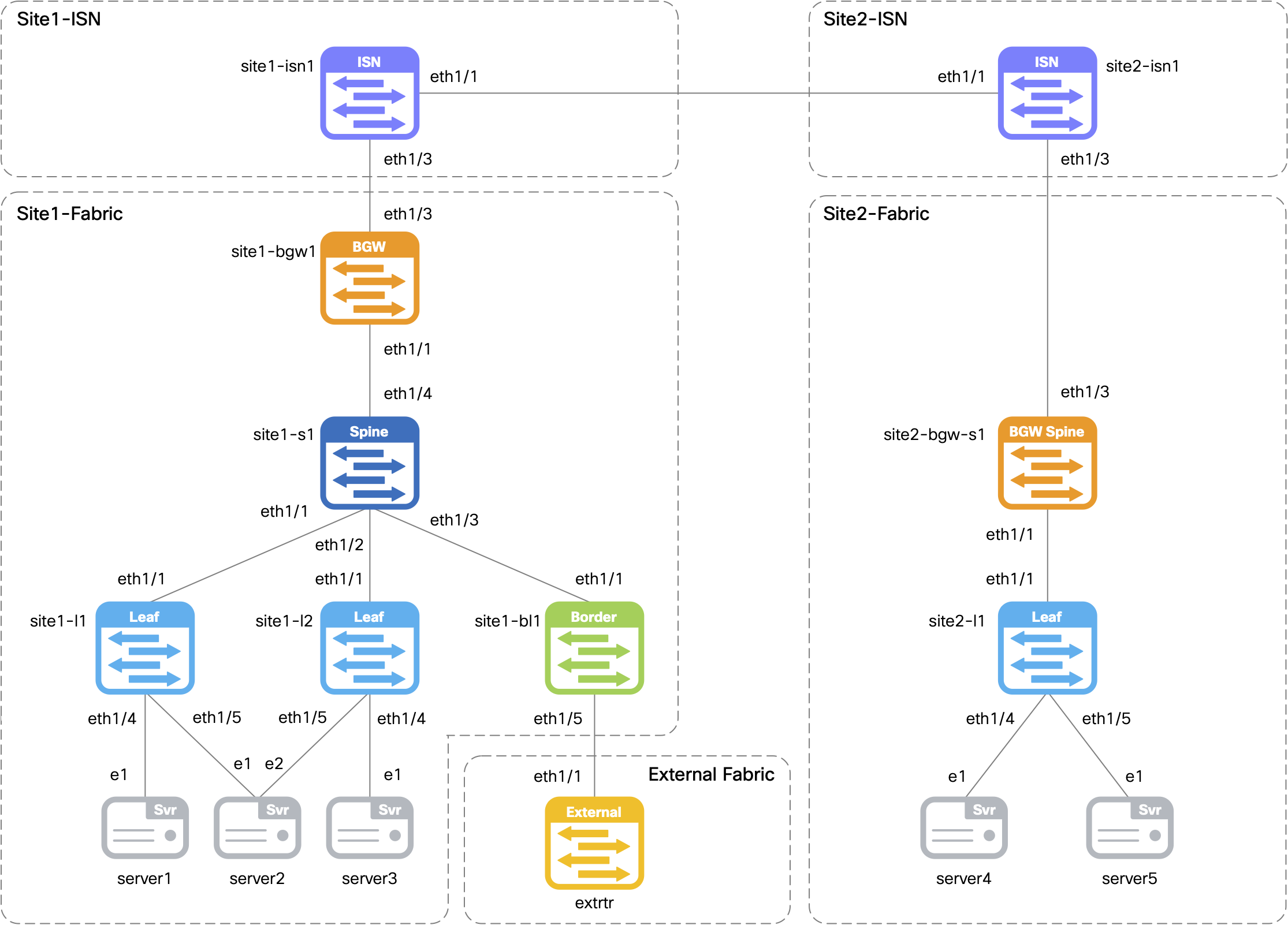
Define the child fabrics that will be part of the Multi-Site (MSD) fabric group in the child_fabrics.nac.yml file.
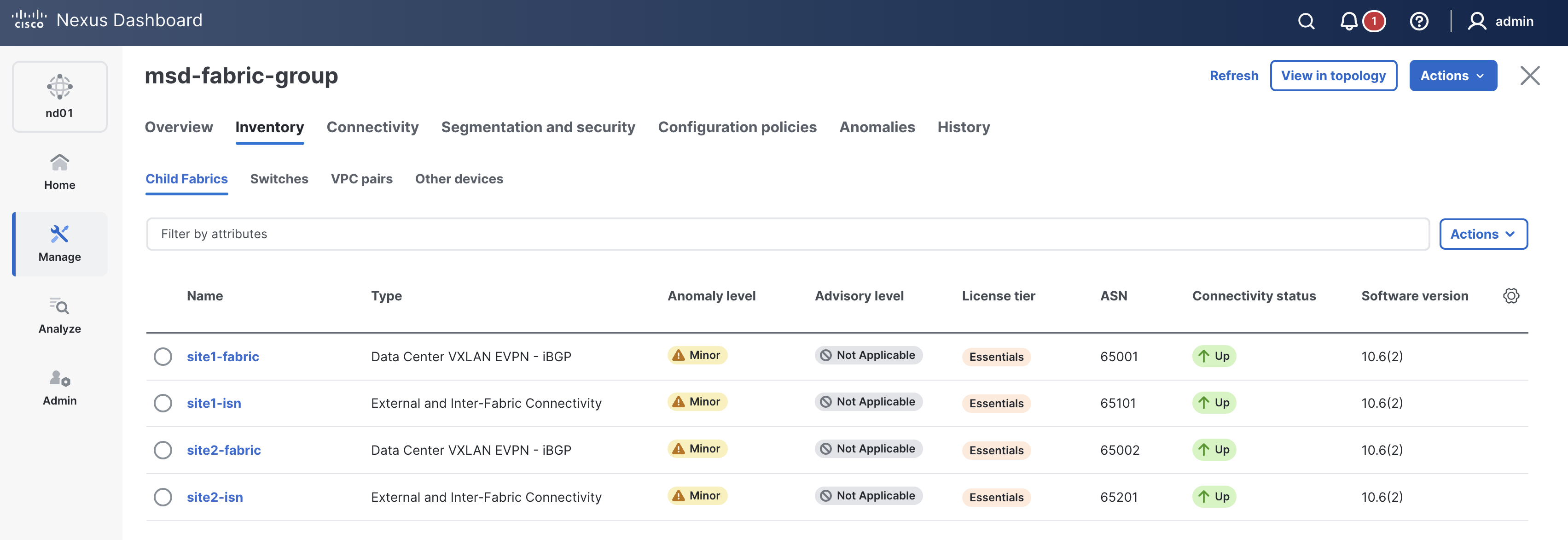
The child fabrics defined here will be the two VXLAN EVPN fabrics you created in the previous sections: site1-fabric and site2-fabric,
along with the respective site ISN fabrics: site1-isn and site2-isn.
Child fabrics can be added or removed by updating this file and re-running Ansible. Note that ND requires all overlays to be removed from a child fabric before it can be removed from the MSD group.
touch ~/workspace/ndlab/nac/host_vars/msd-fabric-group/child_fabrics.nac.yml
code-server -r ~/workspace/ndlab/nac/host_vars/msd-fabric-group/child_fabrics.nac.yml
---

vxlan:
  multisite:
    child_fabrics:
      - name: site1-fabric
      - name: site1-isn
      - name: site2-fabric
      - name: site2-isn
Define the Multi-Site (MSD) fabric settings in the fabric.nac.yml file.
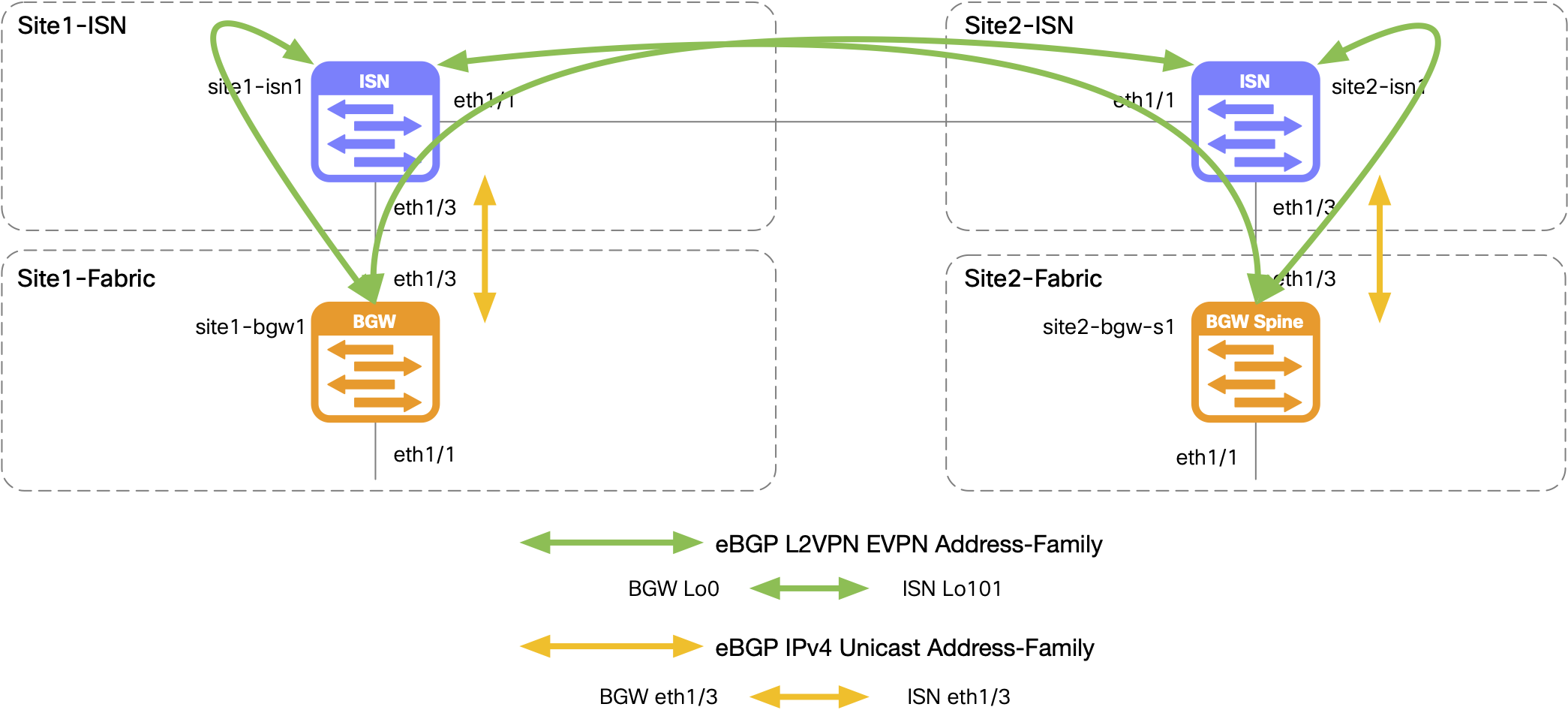
The main settings to note here are the overlay_dci section, which defines the DCI connectivity method as Centralized_To_Route_Server,
along with the route server peers that were configured in the previous section as Loopback101 on the ISN switches.
ND can use this information to automatically configure the eBGP peering for the L2VPN EVPN address-family between the ISN switches and the route servers.
The underlay_autoconfig parameter is set to true to allow ND to automatically configure the underlay
IP addressing and eBGP IPv4 Unicast address-family for the DCI links between the ISN switches and BGWs. ND can do this because the ISN switches are part of the MSD fabric group.
touch ~/workspace/ndlab/nac/host_vars/msd-fabric-group/fabric.nac.yml
code-server -r ~/workspace/ndlab/nac/host_vars/msd-fabric-group/fabric.nac.yml
---

vxlan:
  fabric:
    name: msd-fabric-group
    type: MSD
  multisite:
    anycast_gateway_mac: 1234.5678.9000
    overlay_dci:
      deployment_method: Centralized_To_Route_Server
      route_server:
        redistribute_direct: true
        ip_tag: 54321
        peers:
          - ip_address: 10.101.101.101
            bgp_asn: "65101"
          - ip_address: 10.201.201.201
            bgp_asn: "65201"
      underlay_autoconfig: true
      enable_bgp_send_community: true
Like previous fabrics, MSD will use the same ND group and ND instance, but specify the MSD fabric group as a logical host.
touch ~/workspace/ndlab/nac/hosts.msd.yml
cat << EOF >> ~/workspace/ndlab/nac/hosts.msd.yml
---
# Inventory Information For MSD Fabric
nd:
  hosts:
    msd-fabric-group:
      ansible_host: 10.15.0.35
EOF
Make sure you are in your root Ansible directory.
cd ~/workspace/ndlab/nac
From the root Ansible project directory execute the following command:
ansible-playbook -i hosts.msd.yml vxlan.yml
Upon a successful run of the playbook your output should look as follows:
  <... SNIP ...>

  PLAY RECAP **************************************************************************************************************************************************************************
  msd-fabric-group           : ok=42   changed=4    unreachable=0    failed=0    skipped=23   rescued=0    ignored=0


  PLAYBOOK RECAP ******************************************************************************************
  Playbook run took 0 days, 0 hours, 1 minutes, 28 seconds


  TASKS RECAP *********************************************************************************************
  Wednesday 03 June 2026  00:43:27 +0000 (0:00:00.053)       0:01:28.997 ********
  ===============================================================================
  cisco.nac_dc_vxlan.create : Execute Create Resources -------------------------------------------- 35.39s
  cisco.nac_dc_vxlan.deploy : Execute Deploy of Resources ----------------------------------------- 34.97s
  cisco.nac_dc_vxlan.remove : Execute Remove Resources --------------------------------------------- 6.82s
  cisco.nac_dc_vxlan.connectivity_check : Get Cisco Nexus Dashboard Fabric Controller Version ------ 1.69s
  cisco.nac_dc_vxlan.common : Build Resources ------------------------------------------------------ 1.28s
  cisco.nac_dc_vxlan.connectivity_check : Verify Authorization to Nexus Dashboard ------------------ 0.74s
  cisco.nac_dc_vxlan.validate : Copy Service Model Data to Host ------------------------------------ 0.74s
  cisco.nac_dc_vxlan.validate : Copy Extended Service Model Data to Host --------------------------- 0.58s
  cisco.nac_dc_vxlan.validate : Stat Factory Defaults ---------------------------------------------- 0.55s
  cisco.nac_dc_vxlan.connectivity_check : Verify Connection to Nexus Dashboard --------------------- 0.51s
  cisco.nac_dc_vxlan.connectivity_check : Get Cisco Nexus Dashboard Version ------------------------ 0.48s
  cisco.nac_dc_vxlan.validate : Stat the Golden Service Model Data --------------------------------- 0.31s
  cisco.nac_dc_vxlan.validate : Stat the Extended Service Model Data ------------------------------- 0.30s
  cisco.nac_dc_vxlan.remove : Display Remove Resources Summary ------------------------------------- 0.23s
  cisco.nac_dc_vxlan.create : Display Create Resources Summary ------------------------------------- 0.21s
  cisco.nac_dc_vxlan.common : Create Fact To Store Common Role Path -------------------------------- 0.21s
  cisco.nac_dc_vxlan.validate : Display Role Path -------------------------------------------------- 0.20s
  cisco.nac_dc_vxlan.common : Display Change Flag Values ------------------------------------------- 0.20s
  cisco.nac_dc_vxlan.connectivity_check : Set Cisco Nexus Dashboard Version Var -------------------- 0.20s
  cisco.nac_dc_vxlan.common : Display Resource Build Summary --------------------------------------- 0.20s

  ROLES RECAP *********************************************************************************************
  Wednesday 03 June 2026  00:43:27 +0000 (0:00:00.053)       0:01:28.997 ********
  ===============================================================================
  create ----------------------------------------------------------------- 35.65s
  deploy ----------------------------------------------------------------- 35.12s
  remove ------------------------------------------------------------------ 7.17s
  validate ---------------------------------------------------------------- 4.97s
  connectivity_check ------------------------------------------------------ 3.80s
  common ------------------------------------------------------------------ 1.95s
  common_global ----------------------------------------------------------- 0.04s
  ~~~~~~~~~~~~~~~~~~~~~~~~~~~~~~~~~~~~~~~~~~~~~~~~~~~~~~~~~~~~~~~~~~~~~~~~~~~~~~~
  total ------------------------------------------------------------------ 88.69s
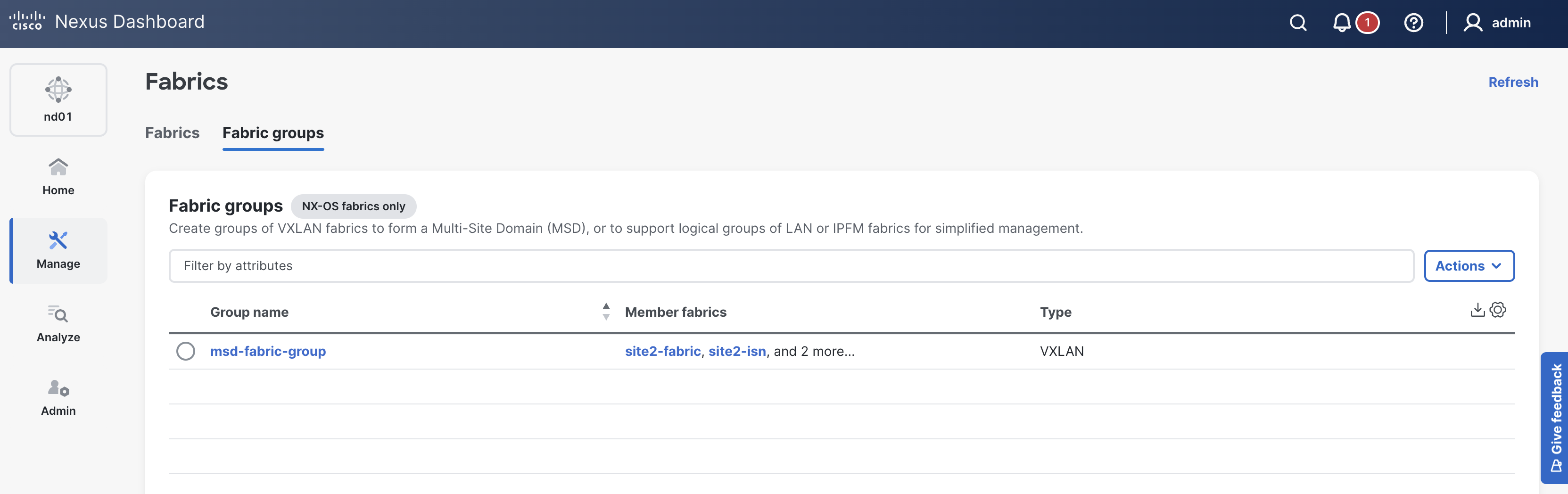
msd-fabric-group in the list; click it.
If your msd-fabric-group is not showing, please try clicking the Refresh button in the top-right of the Fabrics pane.
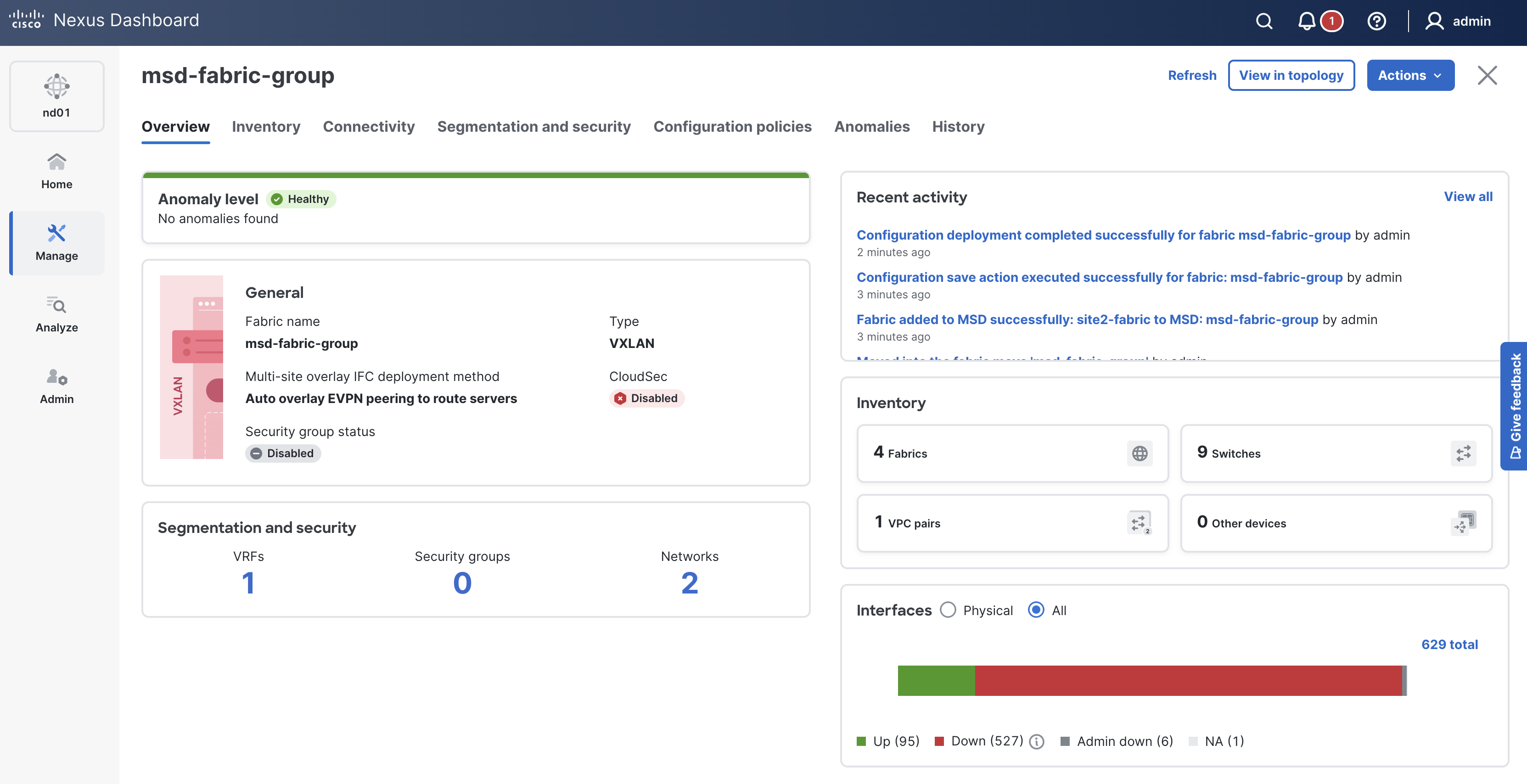
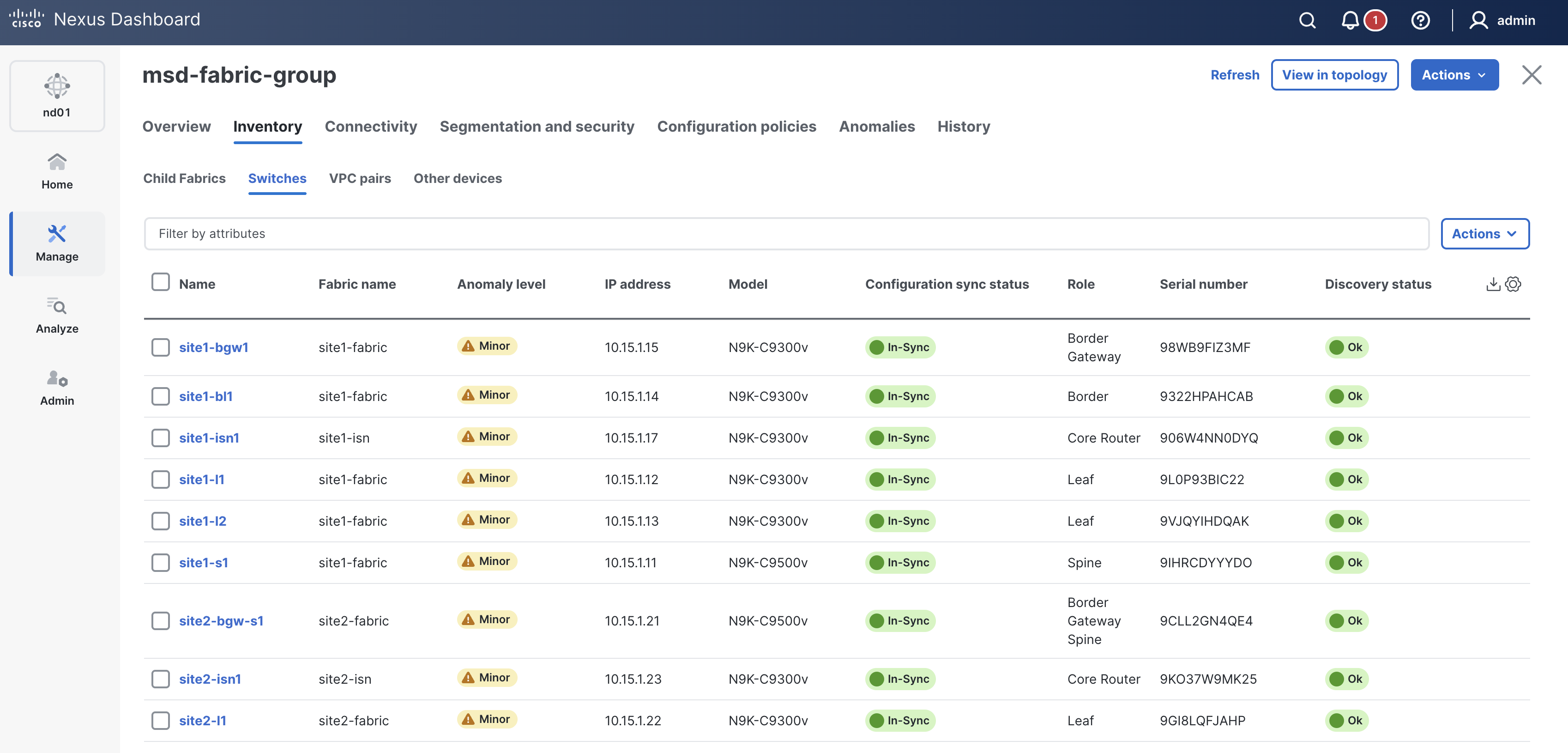
In-Sync. If not, please click the Refresh button near the Actions button
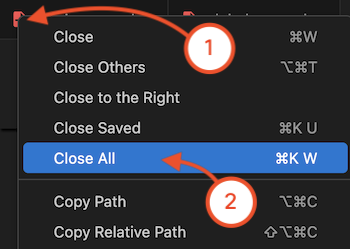
Navigate back to your Visual Studio Code application.
Please continue to the next section to start managing your overlay from the Multi-Site (MSD) fabric group level now.