
With the majority of the fabric configuration complete, you will now define some policies to be applied to all switches in your fabric.
You will start by creating the policy.nac.yml file, which defines policy templates, policy groups, and the assignment of those groups to switches in your fabric, including pre-provisioned switches.
Policies can be defined in two different ways:
template_name and template_vars to reference pre-defined templates that ship with Nexus Dashboard.
filename to specify the path to a policy file. The filename can have two extensions: .cfg or .yml / .yaml.
.cfg, the file is treated as a freeform configuration file and the contents are pushed as-is.
.yml / .yaml, the file is treated as, and expected to be, a Nexus Dashboard template.
touch ~/workspace/ndlab/nac/host_vars/site1-fabric/policy.nac.yml
code-server -r ~/workspace/ndlab/nac/host_vars/site1-fabric/policy.nac.yml
Copy and paste the following content into the policy.nac.yml file that is now open in your VSCode editor.
---

vxlan:
  policy:
    policies:
      - name: clock timezone
        template_name: clock_timezone
        template_vars:
          TIME_ZONE: CET
          HOUR_OFFSET: 1
          MINUTE_OFFSET: 0
      - name: clock summertime
        template_name: clock_summertime
        template_vars:
          SUMMER_TIME: 'CEST 5 SUNDAY MARCH 02:00 5 SUNDAY OCTOBER 03:00 60'
      - name: alias
        template_name: switch_freeform
        template_vars:
          CONF: |-
            cli alias name wr copy run start
      - name: banner
        template_name: banner
        template_vars:
          BANNER: |-
            ***************************************************************************
            *                        Cisco Live - LTRDCN-3439                         *
            ***************************************************************************
          BANNERDELIMITER: "_"
          TYPE: "motd"
    groups:
      - name: common policies
        policies:
          - name: clock summertime
          - name: clock timezone
          - name: alias
          - name: banner
    switches:
      - name: site1-s1
        groups:
          - common policies
      - name: site1-l1
        groups:
          - common policies
      - name: site1-l2
        groups:
          - common policies
      - name: site1-bl1
        groups:
          - common policies
      - name: site1-bgw1
        groups:
          - common policies
Make sure you are in your root Ansible directory.
cd ~/workspace/ndlab/nac
From the root Ansible project directory execute the following command:
ansible-playbook -i hosts.site1.yml vxlan.yml --tags cr_manage_policy
Upon a successful run of the playbook your output should look as follows:
  <... SNIP ...>

  PLAY RECAP ************************************************************************************************************************************************************
  site1-fabric               : ok=39   changed=4    unreachable=0    failed=0    skipped=17   rescued=0    ignored=0


  PLAYBOOK RECAP ******************************************************************************************
  Playbook run took 0 days, 0 hours, 0 minutes, 19 seconds


  TASKS RECAP *********************************************************************************************
  Tuesday 02 June 2026  21:59:50 +0000 (0:00:00.103)       0:00:19.316 **********
  ===============================================================================
  cisco.nac_dc_vxlan.create : Execute Create Resources --------------------------------------------- 4.17s
  cisco.nac_dc_vxlan.common : Build Resources ------------------------------------------------------ 3.51s
  cisco.nac_dc_vxlan.connectivity_check : Get Cisco Nexus Dashboard Fabric Controller Version ------ 1.65s
  cisco.nac_dc_vxlan.validate : Copy Service Model Data to Host ------------------------------------ 0.77s
  cisco.nac_dc_vxlan.connectivity_check : Verify Authorization to Nexus Dashboard ------------------ 0.75s
  cisco.nac_dc_vxlan.validate : Copy Extended Service Model Data to Host --------------------------- 0.64s
  cisco.nac_dc_vxlan.validate : Stat Factory Defaults ---------------------------------------------- 0.53s
  cisco.nac_dc_vxlan.validate : Move Golden Service Model Data Previous ---------------------------- 0.53s
  cisco.nac_dc_vxlan.connectivity_check : Verify Connection to Nexus Dashboard --------------------- 0.50s
  cisco.nac_dc_vxlan.connectivity_check : Get Cisco Nexus Dashboard Version ------------------------ 0.43s
  cisco.nac_dc_vxlan.validate : Move Extended Service Model Data Previous -------------------------- 0.37s
  cisco.nac_dc_vxlan.validate : Stat the Golden Service Model Data --------------------------------- 0.36s
  cisco.nac_dc_vxlan.validate : Stat the Extended Service Model Data ------------------------------- 0.36s
  cisco.nac_dc_vxlan.create : Display Create Resources Summary ------------------------------------- 0.26s
  cisco.nac_dc_vxlan.common : Display Resource Build Summary --------------------------------------- 0.25s
  cisco.nac_dc_vxlan.common : Display Change Flag Values ------------------------------------------- 0.23s
  cisco.nac_dc_vxlan.validate : Prepare Service Model ---------------------------------------------- 0.23s
  cisco.nac_dc_vxlan.connectivity_check : Set Cisco Nexus Dashboard Version Var -------------------- 0.22s
  cisco.nac_dc_vxlan.connectivity_check : Set Cisco Nexus Dashboard Fabric Controller Version Var --- 0.21s
  cisco.nac_dc_vxlan.validate : Display Inventory Directory ---------------------------------------- 0.20s

  ROLES RECAP *********************************************************************************************
  Tuesday 02 June 2026  21:59:50 +0000 (0:00:00.104)       0:00:19.316 **********
  ===============================================================================
  validate ---------------------------------------------------------------- 6.38s
  create ------------------------------------------------------------------ 4.54s
  common ------------------------------------------------------------------ 4.30s
  connectivity_check ------------------------------------------------------ 3.76s
  common_global ----------------------------------------------------------- 0.03s
  ~~~~~~~~~~~~~~~~~~~~~~~~~~~~~~~~~~~~~~~~~~~~~~~~~~~~~~~~~~~~~~~~~~~~~~~~~~~~~~~
  total ------------------------------------------------------------------ 19.00s
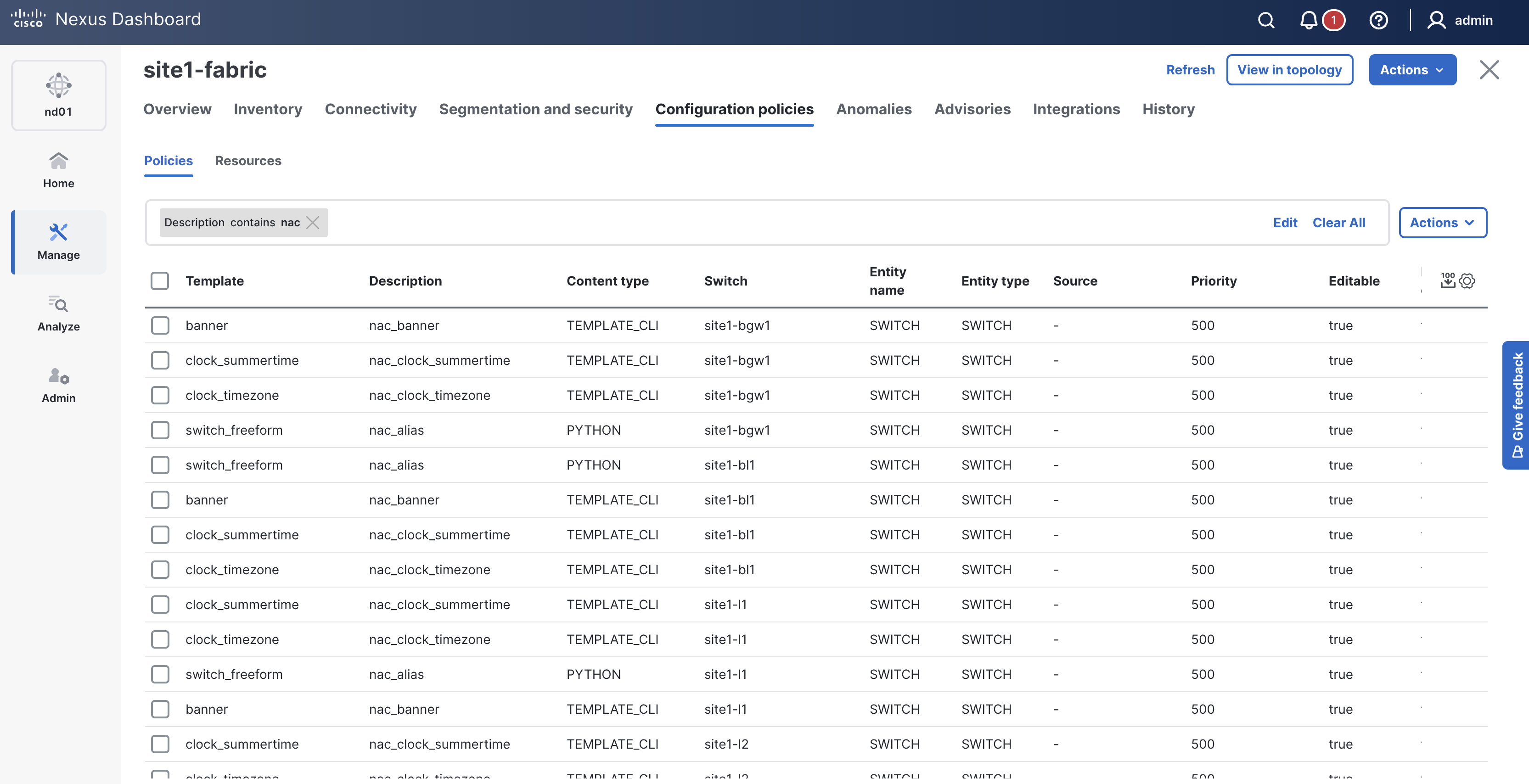
Return to your ND browser which should still be showing the Configuration policies tab

Enter
You will see the policies you declared in your policy.nac.yml file have been created in ND.
Network as Code prepends the string "nac" in the description of each policy it creates and manages.
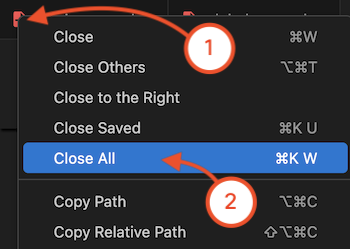
Navigate back to your VSCode application.
Continue to the next section to deploy all of your staged configuration to your fabric.