
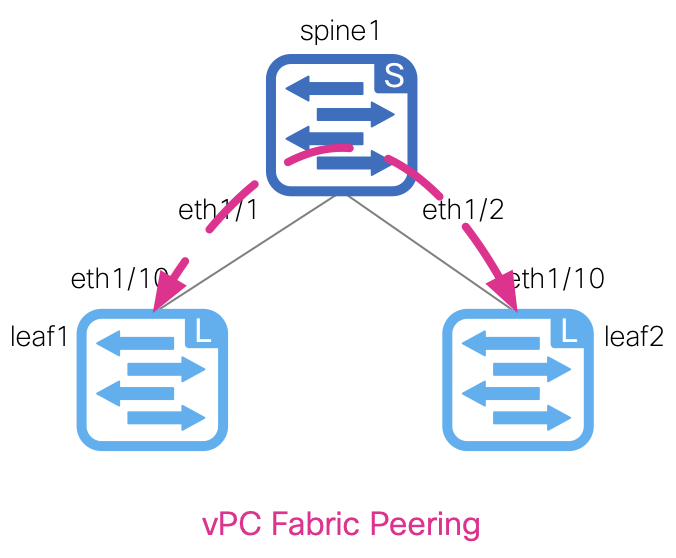
With the devices added to the fabric, you can now create the vPC peering between site1-l1 and site1-l2, using vPC fabric peering. You will create a new file named vpc.nac.yml.
This file will contain all of the necessary vPC configurations to establish the vPC peering for the leaf switches. The vPC settings (peer-link VLAN, peer-keepalive VRF) are defined in the global section of the data model.
The actual vPC peers are defined under the vpc_peers of the topology section.
touch ~/workspace/ndlab/nac/host_vars/site1-fabric/vpc.nac.yml
code-server -r ~/workspace/ndlab/nac/host_vars/site1-fabric/vpc.nac.yml
Copy and paste the following content into the vpc.nac.yml file that is now open in your VSCode editor.
---

vxlan:
  topology:
    vpc_peers:
      - peer1: site1-l1
        peer2: site1-l2
        fabric_peering: true
Make sure you are in your root Ansible directory.
cd ~/workspace/ndlab/nac
From the root Ansible project directory execute the following command:
ansible-playbook -i hosts.site1.yml vxlan.yml --tags cr_manage_vpc_peers
Upon a successful run of the playbook your output should look as follows:
  <... SNIP ...>

  PLAY RECAP **********************************************************************************************************************************************************
  site1-fabric               : ok=39   changed=4    unreachable=0    failed=0    skipped=17   rescued=0    ignored=0


  PLAYBOOK RECAP *******************************************************************************************
  Playbook run took 0 days, 0 hours, 0 minutes, 30 seconds


  TASKS RECAP **********************************************************************************************
  Tuesday 02 June 2026  21:40:51 +0000 (0:00:00.084)       0:00:30.070 **********
  ===============================================================================
  cisco.nac_dc_vxlan.create : Execute Create Resources --------------------------------------------- 15.56s
  cisco.nac_dc_vxlan.common : Build Resources ------------------------------------------------------- 3.36s
  cisco.nac_dc_vxlan.connectivity_check : Get Cisco Nexus Dashboard Fabric Controller Version ------- 1.64s
  cisco.nac_dc_vxlan.validate : Copy Service Model Data to Host ------------------------------------- 0.75s
  cisco.nac_dc_vxlan.connectivity_check : Verify Authorization to Nexus Dashboard ------------------- 0.74s
  cisco.nac_dc_vxlan.validate : Copy Extended Service Model Data to Host ---------------------------- 0.64s
  cisco.nac_dc_vxlan.validate : Stat Factory Defaults ----------------------------------------------- 0.54s
  cisco.nac_dc_vxlan.connectivity_check : Verify Connection to Nexus Dashboard ---------------------- 0.52s
  cisco.nac_dc_vxlan.validate : Move Golden Service Model Data Previous ----------------------------- 0.51s
  cisco.nac_dc_vxlan.connectivity_check : Get Cisco Nexus Dashboard Version ------------------------- 0.47s
  cisco.nac_dc_vxlan.validate : Stat the Golden Service Model Data ---------------------------------- 0.36s
  cisco.nac_dc_vxlan.validate : Stat the Extended Service Model Data -------------------------------- 0.35s
  cisco.nac_dc_vxlan.validate : Move Extended Service Model Data Previous --------------------------- 0.34s
  cisco.nac_dc_vxlan.create : Display Create Resources Summary -------------------------------------- 0.25s
  cisco.nac_dc_vxlan.validate : Prepare Service Model ----------------------------------------------- 0.20s
  cisco.nac_dc_vxlan.common : Display Resource Build Summary ---------------------------------------- 0.20s
  cisco.nac_dc_vxlan.common : Create Fact To Store Common Role Path --------------------------------- 0.20s
  cisco.nac_dc_vxlan.common : Display Change Flag Values -------------------------------------------- 0.20s
  cisco.nac_dc_vxlan.validate : Role Entry Point - [cisco.nac_dc_vxlan.validate] -------------------- 0.20s
  cisco.nac_dc_vxlan.connectivity_check : Set Cisco Nexus Dashboard Fabric Controller Version Var --- 0.20s

  ROLES RECAP **********************************************************************************************
  Tuesday 02 June 2026  21:40:51 +0000 (0:00:00.084)       0:00:30.070 **********
  ===============================================================================
  create ----------------------------------------------------------------- 15.90s
  validate ---------------------------------------------------------------- 6.03s
  common ------------------------------------------------------------------ 4.07s
  connectivity_check ------------------------------------------------------ 3.73s
  common_global ----------------------------------------------------------- 0.04s
  ~~~~~~~~~~~~~~~~~~~~~~~~~~~~~~~~~~~~~~~~~~~~~~~~~~~~~~~~~~~~~~~~~~~~~~~~~~~~~~~
  total ------------------------------------------------------------------ 29.77s
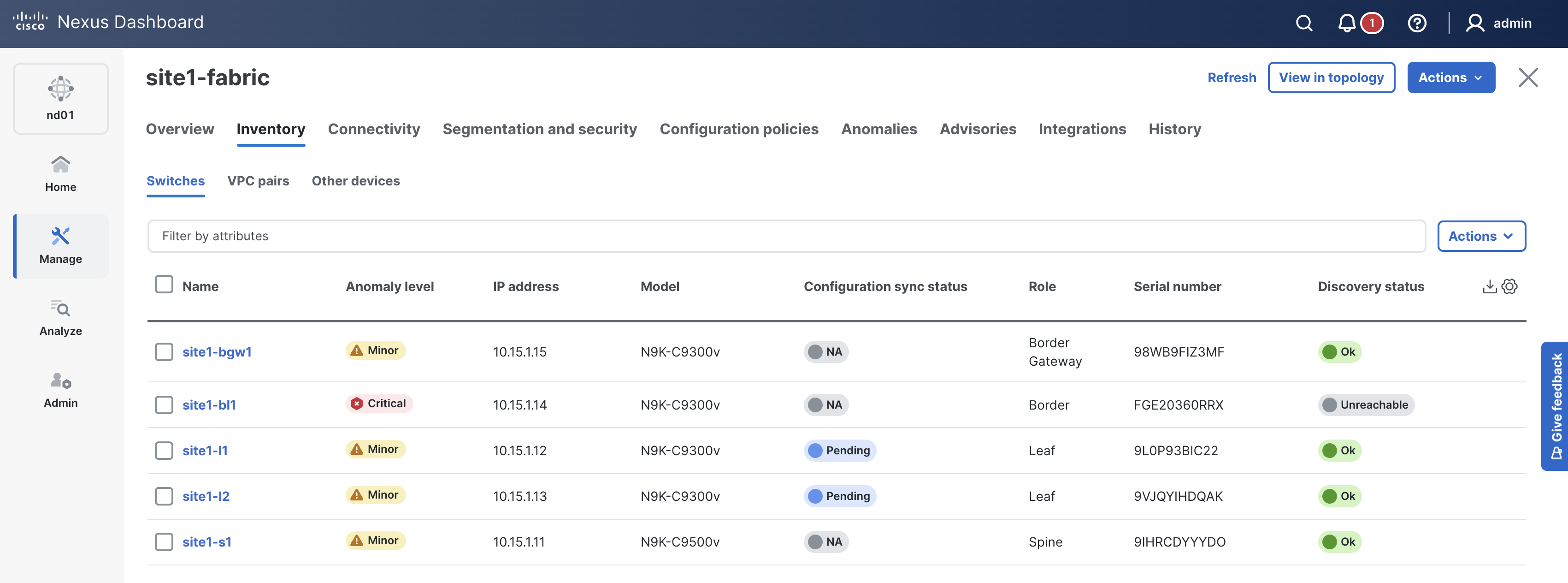
The vPC peering should now be pre-staged between site1-l1 and site1-l2. Return to ND and verify.
In ND, you should still be on the Switches tab, if not:
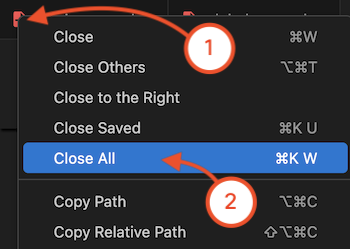
Navigate back to your VSCode application.
Continue to the next section to define the interfaces for the leaf switches in your fabric.